Can a small model spot nature’s antibiotics?
Frogs, bees, plants and bacteria all make short proteins that kill bacteria by tearing open their outer membrane. Thousands of them are catalogued. In this walkthrough you train a small model to pick those out from other short secreted proteins — hormones, neuropeptides, protease inhibitors — using nothing but the sequence of amino acids.
The model is eight numbers and an offset. It trains in about two seconds on one CPU core, and you can read every line that produces the result. Allow about ten minutes end to end.
If you have not trained anything in Studio before, Train a model covers the same workflow on a smaller, synthetic dataset.
1. Get the files
Download both:
- The peptides — 498 reviewed UniProt entries, each with its sequence and whether it is annotated as antimicrobial.
- The recipe — the model, the training code, the tests, and the script that rebuilds the table from UniProt.
Open New in Studio, choose your assistant, and attach the recipe ZIP beside the question.
2. Ask for the plan before anything runs
Train the attached peptide recipe. Before running, show me the data, the training and held-out split, and what the model will measure. Then show me the proposed compute and cost and wait for my approval.
The assistant should come back with 498 peptides, roughly half of them antimicrobial, and a split that holds out about a quarter of them.
3. Check how it will be judged
This is the step worth slowing down for.
Peptide families are full of near-duplicates: a frog species may contribute twenty variants of the same molecule, differing by a residue or two. If some land in training and their siblings in the test set, the model gets credit for recognising something it has already seen, and the score comes out too high.
The recipe avoids that in two ways. The packaged table keeps one peptide per similarity family, so no family dominates. The split then holds out whole families, never individual peptides. Ask the assistant to confirm both before you approve the run.
The ordinary peptides are also chosen to match the antimicrobial ones in length. Without that, the model could separate the two groups on length alone and tell you nothing about what makes a peptide antimicrobial.
4. Approve and train
Review the proposed compute, then approve. Training runs on one CPU core and finishes in about two seconds; most of the wait is starting the container.
5. Watch the lab start recording
Open the lab and choose Timeline, with All types selected, then scroll to the oldest entries at the bottom. This is where the lab began: a blank workspace, then each change to the recipe with the reason it was made.
Tap or click a screenshot to open it at full size.
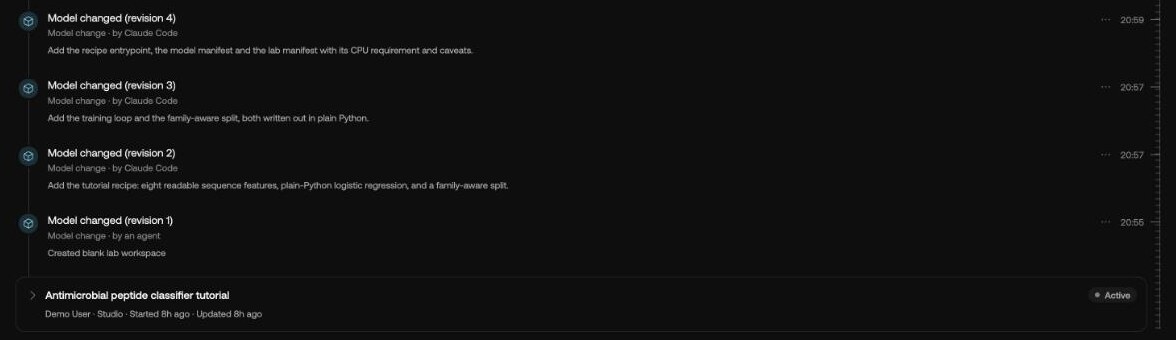
Yours will be shorter, because attaching the ZIP arrives as a single change rather than the several it took to write the recipe. What matters is that none of this was written down afterwards. The lab recorded each step as it happened, which is what lets you come back later and see what produced a result.
6. Read the result
Open the completed run under Results. The headline table reports the held-out peptides and how many the model called correctly.
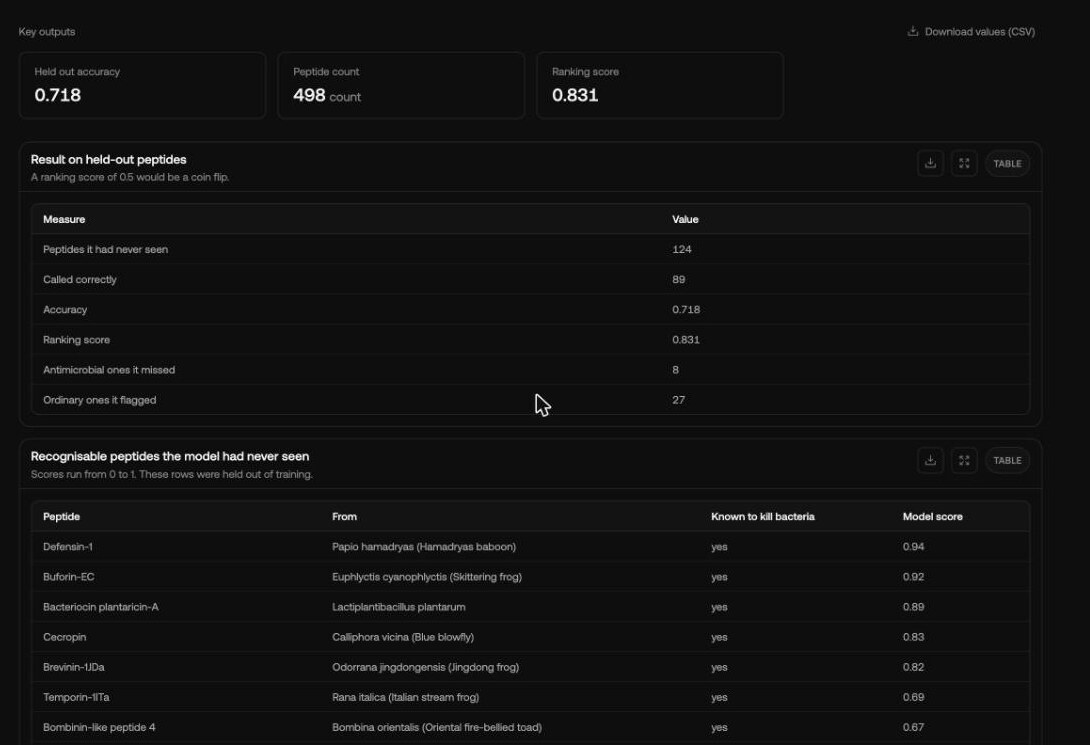
In our run, the model scored 0.718 for accuracy and 0.831 for ranking. The ranking score is the more useful of the two, and it has a plain reading: give the model one antimicrobial peptide and one ordinary one it has never seen, and it puts them in the right order about 83 times in 100. A coin flip would be 50.
It is right more often than it is wrong, and wrong often enough to be worth examining — which is the next step.
Of the 124 held-out peptides, it missed 8 antimicrobial ones and flagged 27 ordinary ones that are not annotated as antimicrobial.
The second table lists recognisable peptides the model had never seen:
| Peptide | From | Known to kill bacteria | Model score |
|---|---|---|---|
| Defensin-1 | Hamadryas baboon | yes | 0.94 |
| Buforin-EC | Skittering frog | yes | 0.92 |
| Bacteriocin plantaricin-A | Lactiplantibacillus plantarum | yes | 0.89 |
| Cecropin | Blue blowfly | yes | 0.83 |
| Brevinin-1JDa | Jingdong frog | yes | 0.82 |
| Temporin-1ITa | Italian stream frog | yes | 0.69 |
| Bombinin-like peptide 4 | Oriental fire-bellied toad | yes | 0.67 |
| Trypsin inhibitor 5 | Chayote | no | 0.63 |
| Calcitonin gene-related peptide 1 | Pig | no | 0.48 |
| Bradykinin-potentiating peptide K12 | European scorpion | no | 0.42 |
| Neuropeptide F | Brown garden snail | no | 0.35 |
| Tachykinin-related peptide 10 | Madeira cockroach | no | 0.24 |
7. See what it learned to look for
The bar chart shows one weight per feature. A positive weight pushes a peptide towards “antimicrobial”, and the features share a common scale, so the bars can be compared directly.
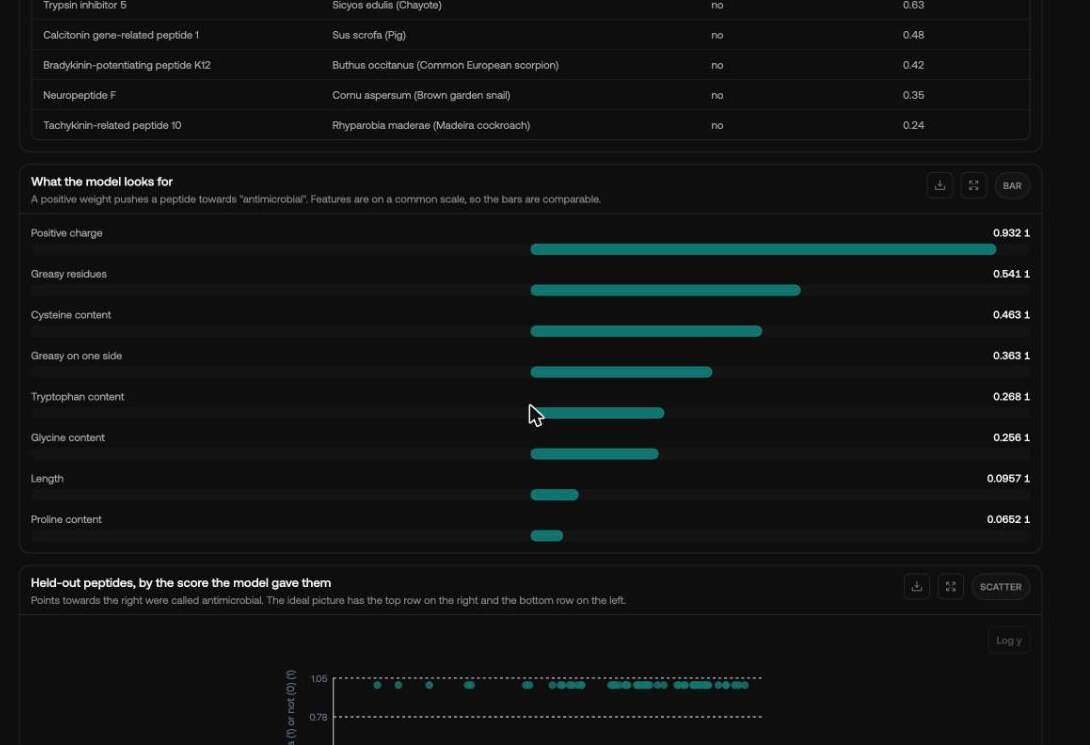
| What it measures | Weight |
|---|---|
| Positive charge | +0.93 |
| Greasy residues | +0.54 |
| Cysteine content | +0.46 |
| Greasy on one side | +0.36 |
| Tryptophan content | +0.27 |
| Glycine content | +0.26 |
| Length | +0.10 |
| Proline content | +0.07 |
Positive charge leads, and that matches how these molecules are understood to work. Bacterial membranes carry a negative charge on the outside, so a positively charged peptide is drawn to them. Greasy residues gathered on one face let it then wedge into the membrane. Nobody told the model any of this; it is what separated the two groups in the data.
Cysteine ranks high for a different reason: it forms the internal bonds that hold defensins — a large antimicrobial family — in a rigid shape.
8. Look at what it got wrong
Open Files and then predictions.csv, which has every held-out peptide and
the score it was given. Sort by score and read the confident mistakes.
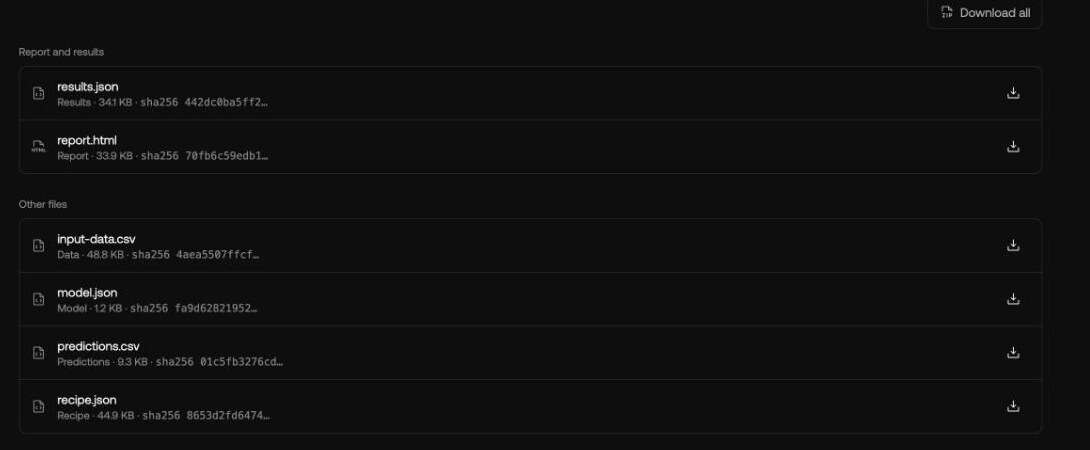
Each file carries its own SHA-256. The one beside input-data.csv is the
fingerprint of the exact table that was trained on, so you can check it against
the CSV you downloaded.
Several are not really mistakes. The model gives high scores to peptides that genuinely puncture membranes but carry no antimicrobial keyword in UniProt — melittin-related peptides from frog skin, some conotoxins. Trypsin inhibitor 5, near the top of the table above, is cysteine-rich like a defensin and is scored accordingly.
This is the honest lesson of the exercise. The model predicts how a peptide is annotated, not whether it kills bacteria. The labels are curated by people and are incomplete, so some of what looks like model error is a gap in the annotation instead. A score here is not evidence about any real peptide.
9. Try a sequence of your own
Ask the assistant to run it again with the sequences parameter set to one or
more peptides, 10 to 50 standard amino acids each:
Run it again with sequences set to GIGKFLHSAGKFGKAFLGEVMKS, and keep everything else the same.
The run adds a Your sequences table with a score for each. Invent one if you like: heavy on K and R, with L, I, V and F spaced a few apart, should score high.
10. Follow the history in Timeline
Go back to the Timeline and read it from the top this time. Your runs appear newest first, each alongside the model revisions in effect when it ran, with the reason recorded against every change.
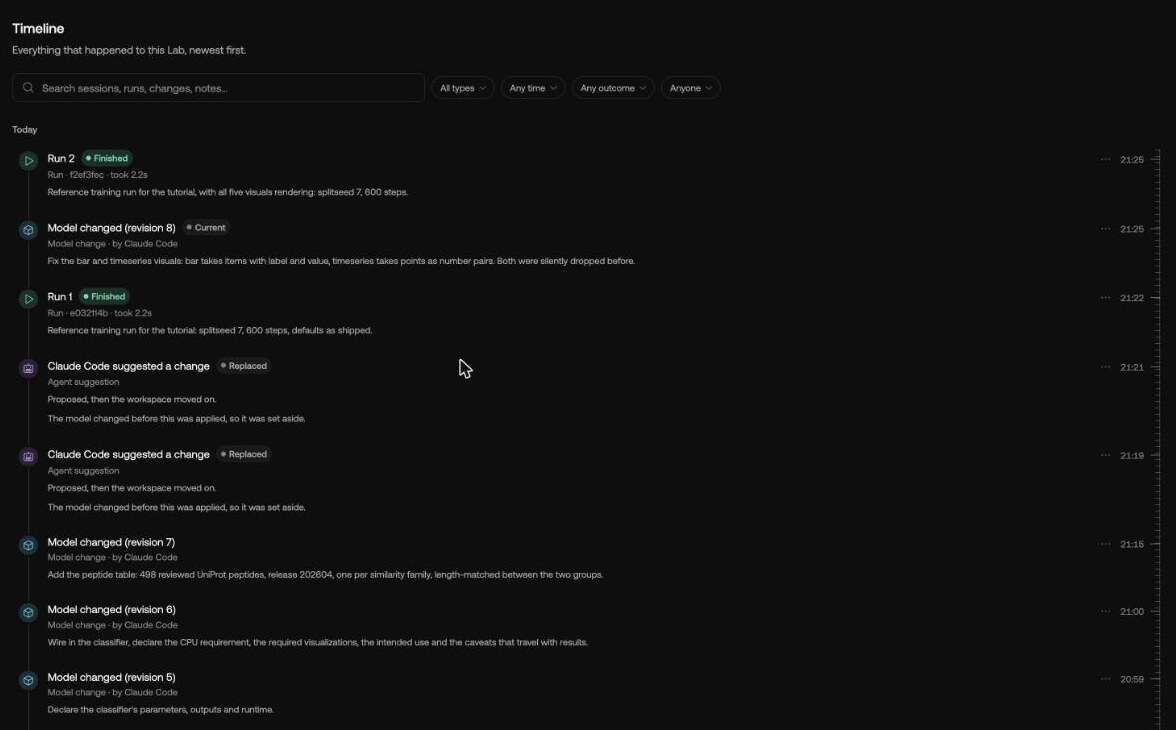
As in step 5, ours carries the revisions it took to write the recipe, so it is longer than yours will be.
This is what makes a result worth returning to. Months later the score alone would tell you nothing; the Timeline shows which revision produced it and what changed just before.
11. Train it again and compare
Training here is deterministic — no sampling, no shuffling beyond the seeded
split — so a repeat on the same inputs should reproduce the learned weights and
every held-out score exactly. comparison-criteria.json in the ZIP records that
expectation, written before the run rather than after.
To see what the split itself is worth, keep everything else fixed and change
split_seed. The score will move by a few points. That spread is a property of
a 124-peptide test set, not a better or worse model, and it is the reason a
single number deserves a margin around it.
Repeat and compare previous work covers retaining both runs and the comparison between them.
What this is not
A teaching example, not a drug-discovery tool. Published predictors use far more data and much richer representations of a sequence. Do not use a score from this model as evidence that a peptide is, or is not, antibacterial.
The peptide data comes from UniProtKB (release 2026_04) and is available under CC BY 4.0.