How to train a model and save its recipe
When you come back to a trained model, you want to know which data it used, how you tested it and what you would need to train it again. This guide shows how to keep those details with the result.
We will train a small model that predicts one number from another. It runs on a CPU, so it is a useful first example before trying a larger task.
1. Bring your data and define the target
Open New in Studio, choose your assistant and select Attach files beside the question. Choose your dataset and wait for the upload to finish. You can also use Choose from Files for a file already in your account. Then describe what you want to predict.
For practice, use the synthetic teaching CSV. Ask for a linear regression predicting target_value from feature_value. sample_id identifies rows and must not be used as a predictive feature. The numbers are made up for practice and have no physical units.
Train a small baseline model using the attached data. Before training, check the data, propose the training and evaluation split, and explain the metric. Keep the original file unchanged. Save the complete recipe and show me the proposed compute and cost before running anything.
If you work in Claude or Codex, send the copied session prompt to that assistant after creating the session. For the exact worked example, also attach the recipe ZIP and ask the assistant to use its training mode, with the saved split seed of 7 and the baseline offset enabled. Ask it to inspect the code and explain the plan first.
2. Agree how you will judge it
Ask which rows the model will learn from and which rows will be kept aside to test it. Keeping test rows separate helps you check predictions on examples the model has not learned from. Related samples may need to stay together, so ask whether a random split makes sense for your data.
Our practice example uses 18 rows for training and 6 for testing. It saves the row IDs and a random seed of 7 so the split can be repeated. The test rows stay out of training and model selection. The example recipe retains the exact code and comparison criteria used here.
For your own task, ask whether you need a third set of rows for choosing between models. Any steps that fill missing values or rescale columns should learn their rules from the training data only. This prevents information from the test rows leaking into training.
3. Keep the training recipe
Ask the assistant to retain:
- The exact dataset and the sample IDs assigned to each split.
- Preparation steps, code and dependency versions.
- The random seed, training settings and the software and hardware used.
- The learned model, evaluation metrics and individual predictions.
A seed helps control randomness, but it does not guarantee identical results across all hardware and libraries. Record those details too.
4. Train and review the saved outputs
Review the proposed setup, cost and time limit, then approve the training run. Open the completed run under Results.
Inspect the chart and error values. Open Files and check the learned model and predictions, not just the final score. In the teaching recipe, recipe.json includes the fitted slope and intercept, exact split membership and held-out predictions; predictions.csv is a separate table you can inspect.
Tap or click a screenshot to open it at full size.
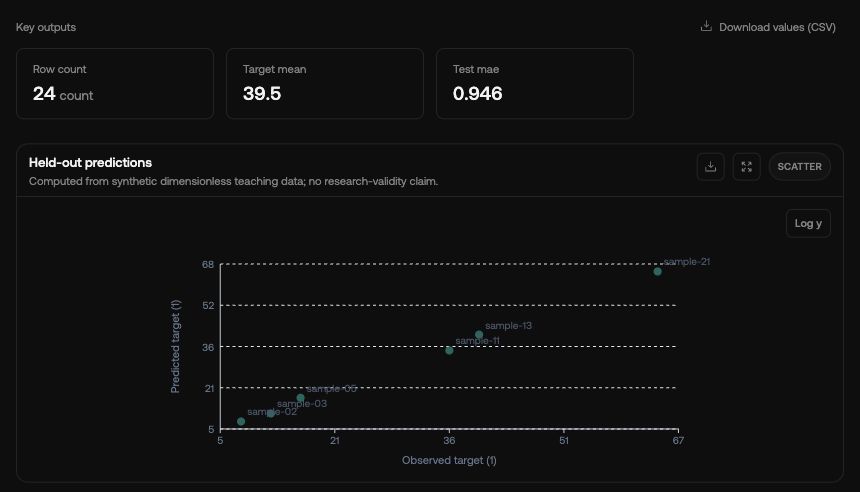
In our recorded example, the average prediction error was about 0.946 on the six test rows. You may see this labelled mean absolute error or MAE. Smaller means closer predictions for this particular comparison. Check the individual predictions too: an average can hide a badly predicted sample.
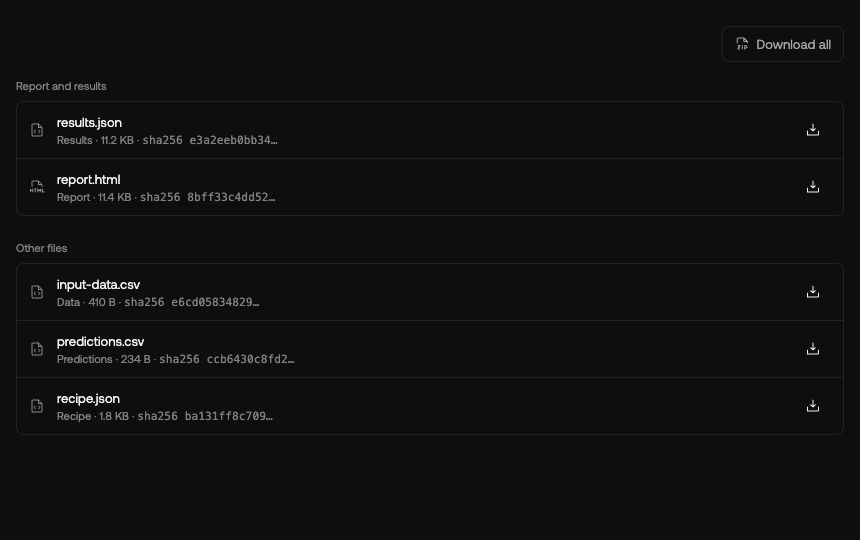
Ask the assistant to explain what the model learned and where it may fail. This small practice dataset is useful for learning the workflow; a real research model needs a suitable dataset and evaluation of its own.
5. Train again before claiming a repeat
Evaluating saved weights again checks the evaluation path. Repeating training means starting another training run from the same saved inputs and recipe.
Before training again, ask the assistant to keep the same data split and recipe, then compare the learned model, all six test predictions and both error measures. Our practice download includes the precise comparison rule we agreed before running it. The reference and repeat matched in those checks.
For a stochastic model, choose a scientifically appropriate criterion instead. Follow Repeat and compare previous work to retain both runs and the observed comparison.